


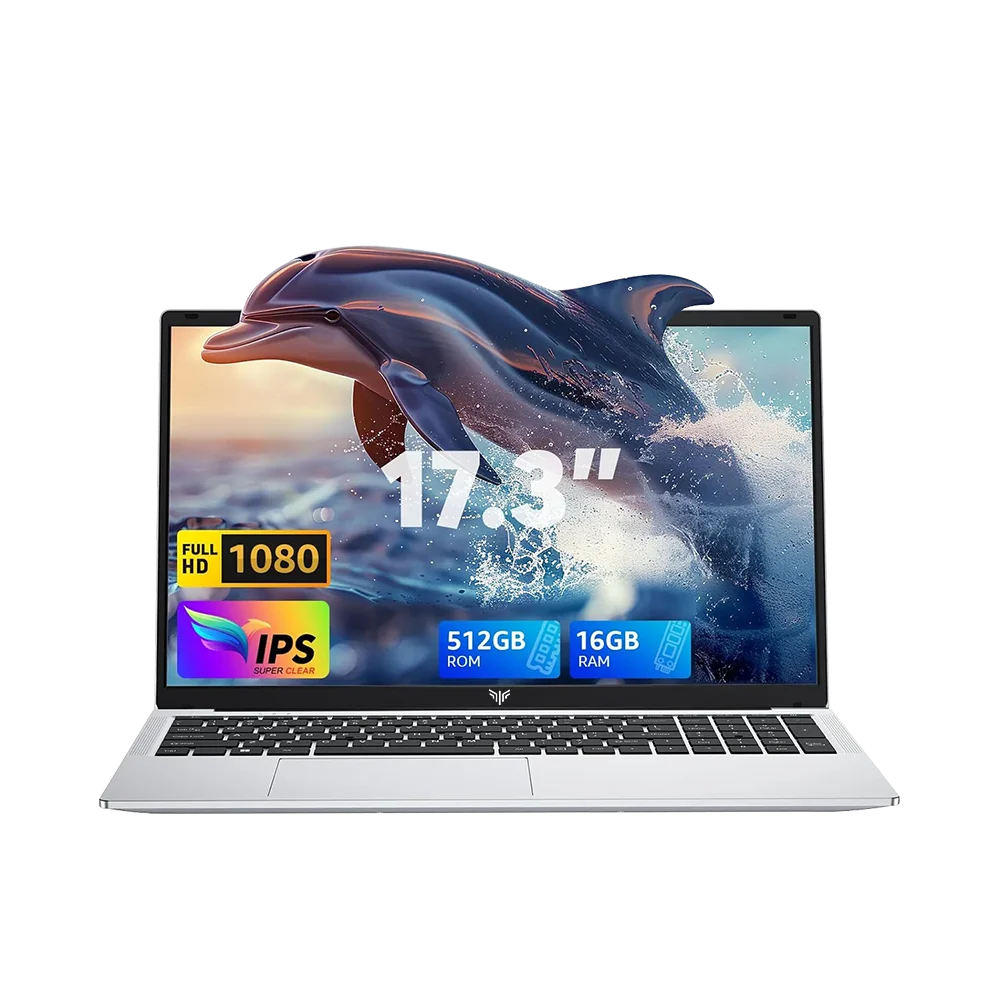
It’s not every day you find a massive 17.3-inch laptop on the pre-owned market for £300. It sounds like an absolute bargain. On paper, the ACEMAGIC AX17 Pro promises a full desktop-replacement canvas, 16 GB of RAM, and 512 GB of fast NVMe storage on a shoestring budget.
Put it through real daily use, however, and the aggressive cost-cutting becomes glaringly obvious. When compared against used ex-business ThinkPads and ZBooks in the same price tier—or tested against modern budget bangers in real-world workloads—the AX17 Pro exposes significant compromises.
Hhow does the AX17 stack up?
| Category | Score | Summary Verdict |
| Display & Canvas | 6.0 / 10 | Massive 17.3-inch workspace, but non-touch, low max brightness (~220 nits), and washed-out colors. |
| Performance | 5.5 / 10 | 16 GB RAM prevents app crashes, but budget silicon chokes under background Windows tasks. |
| Build & Keyboard | 4.5 / 10 | Creaky all-plastic construction, noticeable lid flex, and no keyboard backlight. |
| Ports & Power | 5.0 / 10 | Decent USB-A/HDMI array, but ruined by barrel-only charging, no Ethernet, and combo audio. |
| Audio & Wireless | 4.0 / 10 | Tinny, bass-free speakers and weak Wi-Fi range/throughput. |
| Value (at £300) | 4.5 / 10 | Outclassed by refurbished enterprise machines (ThinkPads, Latitudes) in the same price tier. |
| OVERALL SCORE | 4.9 / 10 | Below Average (Niche Buy Only) |
The Pros
- Gigantic 17.3-Inch Display: The standout draw of the AX17 Pro is its sheer panel size. A 17.3-inch 1080p display gives you genuine room for side-by-side document editing, wide spreadsheets, and comfortable media playback without needing an external monitor.
- 16 GB RAM as Standard: While many sub-£400 laptops limit you to a restrictive 4 GB or 8 GB, the AX17 Pro packs 16 GB of DDR4 memory, providing decent breathing room for heavy browser sessions and background multitasking without immediate out-of-memory crashes.
- Decent Selection of Ports: It provides three USB-A ports, a full-sized HDMI output, and a micro-SD card reader, eliminating the immediate need for USB-C dongles when plugging in basic flash drives or external monitors.
The Cons
- No Touchscreen & Subpar Display Quality: On the contrary of the obtuse retail listings, this is a standard non-touch panel. The display has muted colour space coverage (~65% sRGB) and a dim backlight. It hankers back to the days of crappy Toshiba laptops from 2005. It’s even finished in silver and has status lights on the keyboard deck.
- Cheap, Plasticky Build & No Keyboard Backlight: The chassis is built entirely from hollow, creaky plastic with noticeable flex on the keyboard deck and lid. The mushy keyboard completely lacks backlighting, making typing in dim rooms a constant frustration.
- Sluggish Windows Responsiveness: Under Windows 11, the entry-level silicon frequently experiences micro-stutters, delayed context menus, and sluggish file indexing when background tasks or system updates kick in.
- Tinny Audio & Weak Wi-Fi: The bottom-firing speakers lack any low-end bass and distort heavily at higher volumes. Furthermore, the budget Wi-Fi card struggles with signal range and sustained throughput compared to higher-end Intel networking chips.
- Frustrating Port & Power Flaws:
- No USB-C Charging: While it features a USB-C port, it is strictly data-only. You cannot charge via standard 65W USB-C Power Delivery bricks and must carry the proprietary barrel-jack adapter.
- No Dedicated RJ45 Ethernet: Despite a massive 17-inch chassis with plenty of room, there is no built-in Ethernet port.
- Single Combo Audio Jack: It lacks split 3.5 mm headphone/mic jacks, requiring a Y-adapter if you use dual-plug desktop headsets.
Acemagic vs Hp: Legacy holds its spot against poor showing from newcomer
The budget tier is largely split between older Zen 2 silicon like the AMD Ryzen 3 4300U and newer 8-core efficiency chips like the Intel Core i3-N305. For context, the only two laptops I had to compare were the acemagic AX17 Pro and an HP Chromebook Plus, which has the aforementioned i3.
| Specification / Metric | AMD Ryzen 3 4300U | Intel Core i3-N305 |
| Cores / Threads | 4 Cores / 4 Threads (Zen 2) | 8 Cores / 8 Threads (Gracemont E-Cores) |
| Clock Speeds | 2.7 GHz Base – 3.7 GHz Boost | 1.8 GHz Base – 3.8 GHz Boost |
| Memory Bus | Dual-Channel DDR4-3200 | Single-Channel Bus Only |
| Graphics Engine | Radeon RX Vega 5 (5 CUs) | Intel UHD Graphics (32 EUs) |
| Media Engine | H.264 / HEVC / VP9 | Full AV1 Hardware Decode + Quick Sync |
| Compute Strengths | Higher burst single-core & bandwidth | ~30% higher multi-threaded raw compute |
While the i3-N305 leads in heavily threaded CPU benchmarks and 4K AV1 video playback efficiency, Intel’s platform hard-locks the memory to a single-channel memory bus. The Ryzen 3 4300U’s dual-channel memory interface provides double the bandwidth, which significantly cuts down on system stutters and dramatically boosts 3D gaming throughput.
But to be honest, I don’t really care about benchmarks; I care about real-world use.
The Verdict
The ACEMAGIC AX17 Pro fits only one narrow use case: a buyer whose absolute top priority is getting a 17.3-inch display and 16 GB of RAM in a single portable package under £400. There aren’t many big laptops even under £1,000. If you don’t want this, but still want a modern laptop above 15″, your only other choice, more often than not, is an overkill gaming laptop.
For virtually everyone else, spending that same budget on a refurbished enterprise workhorse (like a ThinkPad T14 or Dell Latitude 5500-series) delivers vastly superior build quality, faster processors, back-lit typing, better battery endurance, and universal USB-C charging.
If you want to buy cheap tech, at affordable prices, you’ve come to the right place. head on over to the SHOP to find good deals or check out our free and open-source vinted deals finder!